
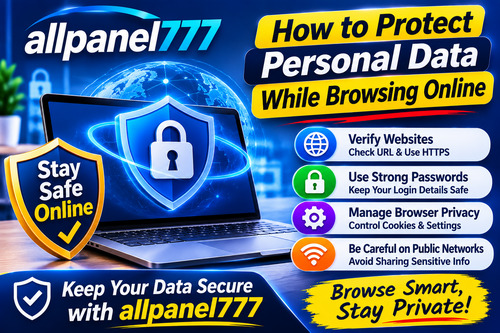
Browsing the internet involves sharing information with websites, online services and digital platforms. Details such as usernames, email addresses, passwords and browsing preferences can become exposed if users do not follow basic privacy practices. For people researching allpanel, understanding how personal data is handled is an important part of responsible online browsing.
Whether using a desktop computer or smartphone, users should pay attention to website addresses, browser settings and the information they provide. A few consistent habits can help reduce common privacy risks.
Verify Websites Before Sharing Information
One of the first steps towards protecting personal information is checking whether a website address is correct. Fake websites can imitate familiar designs and use similar domain names to collect login credentials.
Before entering information on allpanel 777, independently check the website address and make sure the connection uses HTTPS. Avoid opening login pages through unexpected messages, advertisements or unfamiliar social media links.
A padlock symbol indicates an encrypted connection, but it does not independently prove that a website is genuine. Always verify the domain as well.
Use Strong Passwords and Protect Login Details
Passwords are among the most important pieces of personal information associated with an online account. Reusing the same password across multiple websites can increase risk if one service experiences a data exposure.
Follow these practices:
-
Create a unique password for every important account.
-
Use a combination of letters, numbers and symbols.
-
Avoid personal details such as birthdays or names.
-
Never share passwords or OTPs with unknown contacts.
-
Consider using a reputable password manager.
When accessing allpanel 777 login, check the website address before entering credentials. Do not save passwords on public or shared computers.
Manage Browser Privacy and Cookies
Web browsers may store information such as browsing history, cookies, saved passwords and website preferences. Cookies can help websites maintain sessions, but some may also be used for analytics or other tracking purposes.
Review your browser's privacy settings regularly. Remove unnecessary saved login details, clear browsing data when appropriate and review available cookie controls. Private browsing can reduce locally stored history, but it does not make online activity completely anonymous.
Be Careful With Public Networks and Downloads
Public Wi-Fi networks can be convenient, but users should avoid accessing sensitive accounts through networks they do not trust. Do not download unknown files or install software from unfamiliar sources.
Keep your operating system, browser and security software updated. Updates often include fixes for security weaknesses that could otherwise affect personal information.
Conclusion
Protecting personal data requires attention to websites, passwords, browser settings and downloads. By verifying website addresses, limiting unnecessary information sharing and keeping devices updated, users can develop safer browsing habits. Review the applicable privacy information and terms before using any online service, and access gaming services only where legally permitted and if aged 18 or above.