
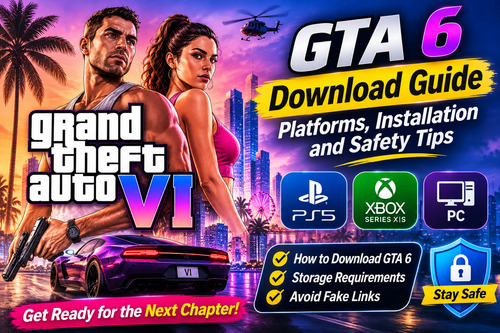
The wait for Grand Theft Auto VI has brought considerable excitement among gaming fans. With its detailed world, modern setting and engaging storyline, GTA 6 is one of the most anticipated releases in the gaming industry. If you are looking for a reliable GTA 6 download, understanding the supported platforms, installation process and storage requirements is important before getting started.
This guide from Allpanel777 explains the official download options and some essential precautions for players.
GTA 6 Download: Official Platforms
Rockstar Games lists Grand Theft Auto VI for PlayStation 5 and Xbox Series X|S. The official release date is November 19, 2026.
Players should check the PlayStation Store or Microsoft Store to find the correct game edition and purchase options. Always verify the publisher name and product details before completing a transaction.
At present, Rockstar's official platform information does not list a PC or Android version. Therefore, websites offering unofficial mobile APKs or PC installation files should be treated with caution.
How to Download GTA 6 on PS5
If you own a PlayStation 5, follow these general steps:
-
Open the PlayStation Store on your console.
-
Search for Grand Theft Auto VI.
-
Check the available edition and purchase information.
-
Complete the purchase using your account.
-
Open your game library and select GTA 6.
-
Start the download or pre-load option when available.
Keep your console connected to a stable internet connection during installation.
How to Download GTA 6 on Xbox Series X|S
Xbox users can follow a similar process:
-
Open the Microsoft Store on your Xbox console.
-
Search for Grand Theft Auto VI.
-
Verify the game and edition details.
-
Complete the purchase through the official store.
-
Open your library and select the game.
-
Start downloading or pre-loading when the option is available.
Make sure your Xbox has enough free storage before beginning the process.
GTA 6 Download Size and Storage Requirements
Storage is an important consideration for large modern games. Rockstar announced that the GTA 6 pre-load may require up to 212 GB, depending on the device.
Before starting your GTA 6 install, check the available space on your console. Keeping additional room for updates can also help avoid storage problems.
Is GTA 6 Available for PC or Android?
Many users search for GTA 6 download for PC and GTA 6 download for Android. However, the official platform list currently names PS5 and Xbox Series X|S only.
Avoid APK files, modified installers and websites claiming to offer unofficial versions. Wait for announcements from Rockstar before trusting information about additional platforms.
Safety Tips Before Downloading
Use official console stores, protect your account credentials and avoid suspicious links. Never share passwords or verification codes with unknown websites. Check regional purchase restrictions and the game's age rating before buying.
Conclusion
A safe GTA 6 download guide starts with choosing an officially supported platform and following its store instructions. Check storage requirements, verify the game edition and avoid unofficial installers. For more digital gaming information and platform-related guides, explore Allpanel777 while making informed and responsible entertainment choices.