
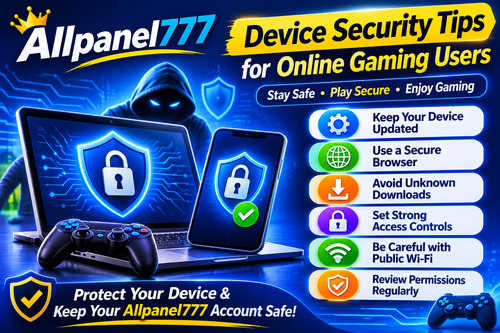
Device Security Tips for Online Gaming Users
Smartphones and computers make online services accessible from almost anywhere, but every connected device also needs proper protection. Outdated software, weak passwords, unsafe downloads and unsecured networks can expose personal information. Developing good device security habits can help users reduce these risks.
For people exploring Allpanel777, device protection should be considered alongside account security. Whether accessing a website through a smartphone, tablet or desktop, users should keep their devices updated and use trusted browsing practices.
Keep Your Device Operating System Updated
Operating system updates often include security improvements that address known vulnerabilities. Delaying these updates can leave a device exposed to problems that newer versions may already fix.
Enable automatic updates where practical and install updates through your device's official settings. Avoid unofficial update files or links sent by unknown contacts. Regular updates are an important part of maintaining a secure Allpanel777 account access environment.
Use a Secure Browser
A browser is often the first point of access to an online platform. Choose a reputable browser and keep it updated. Remove extensions that you do not recognise or no longer use, because some extensions may request access to browsing information.
Before using Allpanel login, carefully verify the website address. Avoid entering credentials after following unexpected links from messages or social media. A familiar-looking page does not automatically mean that it is genuine.
Avoid Unknown Applications and Downloads
Downloading applications from unfamiliar websites can expose devices to harmful software. Before installing any application, check its source, developer information and requested permissions.
If an APK is offered, verify that the download instructions come from the currently listed official source. Do not install modified applications or files shared by unknown contacts. Users researching the Allpanel app should check the current access information before downloading anything.
Protect Your Device with Basic Access Controls
Use a strong screen lock, such as a long PIN or a supported biometric option. Do not leave your smartphone or computer unlocked when unattended.
Avoid saving passwords on shared devices. If you access an account using a public or borrowed computer, log out afterwards and close the browser session. Never share OTPs, recovery codes or passwords with someone claiming to provide technical assistance.
Be Careful with Public Wi-Fi
Public networks in cafes, stations and other shared spaces may not provide the same protection as a trusted private network. Avoid entering sensitive account or payment information when a network seems suspicious.
Turn off automatic connection to unknown Wi-Fi networks. When possible, use a trusted private connection and avoid opening unexpected login links.
Review Permissions and Maintain Good Habits
Check which applications can access your camera, microphone, location, contacts and files. Remove permissions that are unnecessary for an application's purpose. Uninstall apps you no longer use and review device security settings periodically.
Conclusion
Good device security depends on regular updates, trusted downloads, secure browsing and careful handling of personal information. Users accessing Allpanel777 should verify the website address, protect their devices and keep login credentials private. Online gaming should be limited to adults where legally permitted, and users should review local laws and applicable platform terms before accessing any service.