
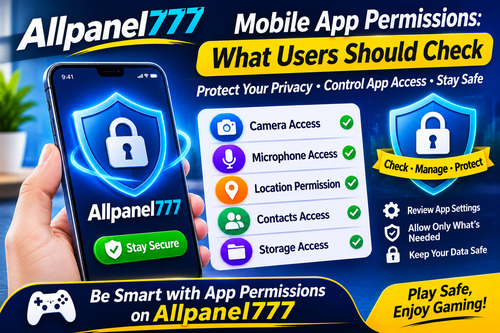
Mobile App Permissions: What Users Should Check
Mobile applications often request access to different features of a smartphone. These may include the camera, microphone, contacts, location and storage. Some permissions are necessary for an application's intended functions, while others may not be relevant. Understanding these requests can help users make better privacy decisions.
For people researching Allpanel777, checking app permissions is an important part of responsible mobile access. Before installing or using an application, users should understand what information it can access and whether those permissions are genuinely necessary.
Understand Why Applications Request Permissions
An app may request permission to use certain device features. For example, a camera permission may be needed for taking photographs, while storage access may support file selection.
However, users should not automatically approve every request. Read the permission message and consider whether the requested access matches the application's purpose. If an application requests unrelated information, pause and investigate before continuing.
Review Camera and Microphone Access
Camera and microphone permissions can provide access to sensitive parts of a device. Some applications may need these features for specific functions, but many applications can operate without them.
Before granting access, consider whether the feature is actually required. On supported devices, users can review which applications have camera and microphone access through privacy settings.
Anyone accessing an Allpanel777 account through a mobile device should make a habit of reviewing these settings periodically.
Check Location and Contact Permissions
Location access can reveal information about a user's approximate or precise whereabouts. Contact permissions may allow an application to access names, phone numbers and other saved details.
Only allow these permissions when there is a clear reason. If location access is necessary for a particular feature, check whether your device offers options such as allowing access only while using the application.
Avoid granting contact access simply because an application displays a permission request.
Be Careful with Storage and File Access
Storage permissions can allow applications to read or manage certain files, depending on the operating system and permission type.
Before approving access, understand which files or folders the application may use. Avoid selecting unrestricted access when a limited file-selection option is available.
Users searching for the Allpanel app should also verify the current application source and installation instructions before downloading any file.
5. Manage Permissions Through Device Settings
Permission management does not end after installation. Android and iOS devices provide privacy settings where users can review and change application access.
Open your phone's settings, find the application list and inspect the permissions granted to each app. Revoke access that is unnecessary, and check whether an application continues to work as expected.
Follow Better Mobile Privacy Habits
Install applications only from sources you can independently verify. Keep your operating system and apps updated, remove applications you no longer use and avoid sharing passwords or OTPs.
Before using Allpanel login, independently check the website address and never enter credentials through unexpected links.
Conclusion
Mobile app permissions determine how applications interact with device features and personal information. Users exploring Allpanel777 should review camera, microphone, location, contact and storage access before granting permissions. Regular privacy checks, trusted downloads and updated devices can help users manage their personal information more carefully. Always follow applicable local laws and platform terms, and use online gaming services only if legally eligible and aged 18 or above.