
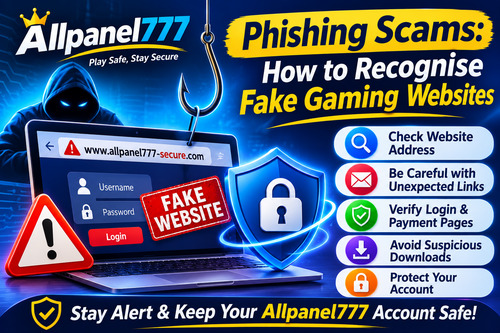
Phishing Scams: How to Recognise Fake Gaming Websites
The internet makes it easy to find websites offering different forms of digital entertainment, but not every page found through a search or shared link is genuine. Some fraudulent websites are designed to look like familiar platforms. Their purpose may be to collect usernames, passwords, verification codes or payment information.
For people visiting Allpanel777, understanding how phishing scams work is an important part of responsible online account security. A little attention to website addresses, login pages and unexpected messages can help users recognise warning signs before sharing personal information.
Look Closely at the Website Address
One common phishing technique is creating a domain that looks almost identical to a genuine website. Scammers may change a letter, add an extra word or use a different domain ending to make a fake address appear familiar.
Before entering your allpanel login details, inspect the complete website address. Do not rely only on a logo, page design or familiar colours. A professional-looking page does not automatically prove that a website is authentic.
Save the correct website address independently and avoid opening login pages through unfamiliar links.
Be Careful with Unexpected Messages
Phishing attempts can arrive through email, social media, messaging applications or SMS. A message may claim that your account needs urgent verification, that access will be blocked or that you must confirm personal details immediately.
Treat unexpected messages requesting passwords, OTPs or recovery codes as suspicious. Do not reply with confidential information or open attachments from unknown senders.
If a message claims to represent Allpanel777, independently check the website's currently listed support information rather than trusting the contact details included in that message.
Recognise Suspicious Login and Payment Pages
Fake websites often copy the appearance of familiar login screens. However, unusual page behaviour can provide warning signs. Be cautious if a page redirects repeatedly, displays unexpected pop-ups or asks for information that does not seem necessary.
The same care applies to payment instructions. Before making any transaction, verify the destination and review the current payment conditions. Never share complete banking credentials, passwords or verification codes with an unknown contact.
Check App and Download Sources
A suspicious website may encourage visitors to install an application through an unfamiliar APK link. Downloading files from unknown sources can expose a device to unwanted software or privacy risks.
For mobile access, check the source and installation requirements independently. Avoid applications sent through random groups or unsolicited messages, and review requested permissions before installation.
What to Do If You Find a Fake Page
If you suspect a phishing website, stop entering information and close the page. Do not download files or continue with a payment request. If you have already shared a password, change it through the independently verified website or relevant account process. Secure any other account where the same password was reused.
You can also report the suspicious link to the relevant platform, browser or service provider. Keep screenshots or message details if they may help explain the incident, but do not circulate the suspicious link as a trusted source.
Conclusion
Recognising phishing scams starts with checking website addresses, questioning unexpected messages and protecting private login information. Users researching Allpanel777 should rely on independently verified access and support information, not copied pages or urgent third-party offers. Staying alert can reduce common online security risks and support safer browsing habits.