
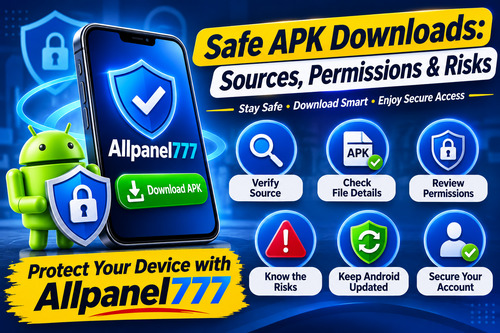
Safe APK Downloads: Sources, Permissions & Risks
APK files allow Android users to install applications outside the usual app-store process. However, downloading an application from an unfamiliar website can expose a device to modified files, unwanted software and privacy risks. Before installing any APK, users should check its source and understand what the application may access.
For people researching Allpanel777, understanding safe APK downloads is an important part of mobile security. The website discusses mobile access and advises visitors to verify the application source and permissions before downloading software.
Verify the Download Source
The first step is identifying where an APK file comes from. Avoid files shared through unknown messaging groups, random download pages or social media comments. A website using a familiar brand name does not automatically prove that its files are genuine.
Before looking for an Allpanel777 APK, independently check the current application information through the website's listed access or support channels. If the source cannot be confirmed, do not install the file.
Check the File and Application Details
Review the application name, developer information, version and installation details before proceeding. Unexpected names, misleading descriptions or unusual installation instructions deserve attention.
Where available, compare the file information with details provided by the official distributor. A digital signature or file hash can help establish whether a file matches a known release, but only when compared against information obtained from a trusted source.
Review App Permissions
An application may request access to contacts, camera, microphone, location or storage. These permissions should match the app's actual purpose.
Do not approve every request automatically. If an application asks for access that appears unrelated to its functions, pause and investigate. Users exploring the Allpanel app should also review Android privacy settings after installation and remove permissions that are unnecessary.
Understand Common APK Download Risks
Modified APKs may contain unwanted code, intrusive advertisements or software that collects information without clear consent. Fake download buttons and misleading pop-ups can also redirect users to unrelated websites.
Avoid applications that ask you to disable important security protections without a clear, independently verified reason. Never provide passwords, OTPs or banking information to an unknown download page.
Keep Android Security Updated
Install Android security updates through your phone's official settings. Use built-in security scanning features where available, and keep your browser updated.
If an application behaves unexpectedly after installation, stop using it and investigate. Remove suspicious applications and follow your device manufacturer's security guidance.
Check Before Accessing Your Account
Before using Allpanel login, verify the website address independently. Avoid entering account information through unexpected links or pages that imitate familiar login screens.
Keep your passwords unique and recovery details private. Review current platform instructions and terms before using any application or online service.
Conclusion
Safe APK downloads begin with source verification, careful permission reviews and awareness of common installation risks. Users researching Allpanel777 should confirm current application information before downloading, avoid modified files and keep their Android devices updated. Online gaming services should only be accessed by adults where legally permitted, with responsible use and applicable local laws kept in mind.