
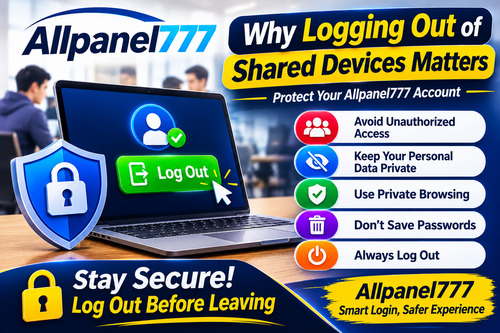
Why Logging Out of Shared Devices Matters
Using a shared computer can be convenient when your personal device is unavailable. However, leaving an account signed in on a computer used by other people can expose private information. For users accessing Allpanel777, logging out after every session is an important habit that helps reduce the risk of unauthorised account access.
A shared device may include an office computer, a cyber café system, a friend's laptop or a family computer. Since several people can use the same browser, it is important to close your account properly instead of simply closing the browser window.
What Can Happen If You Stay Logged In?
When an account remains active on a shared computer, another person may be able to reopen the browser and access the account. Depending on the browser and website session, this could expose profile information or other account-related details.
Some browsers may also offer to save usernames and passwords. If these details are stored on a device used by multiple people, another user could potentially access them.
That is why users should treat every shared device as temporary and avoid leaving personal account information behind.
Follow Safe Allpanel777 Login Practices
Before using Allpanel777 login on a computer that belongs to someone else, check that the website address is correct. Avoid opening login pages through unfamiliar links or advertisements.
Use the following precautions:
-
Prefer a private or guest browsing session when available.
-
Do not select the browser's save-password option.
-
Never share your password or OTP with another person.
-
Avoid accessing your account on devices you do not trust.
-
Do not leave the screen unattended while signed in.
These steps help reduce common risks associated with shared browsing.
Always Log Out Before Leaving
When you finish using your account, look for the website's logout option and use it. Wait for the page to return to its logged-out state before leaving the computer.
Closing a browser tab is not always the same as logging out. A website session may remain active even after the tab has been closed.
If the browser offers to remember your login details, choose not to save them. You can also clear browsing data from a shared device if appropriate, while remembering that this does not replace using the website's logout option.
What If You Forgot to Log Out?
If you accidentally leave a shared computer without logging out, take the situation seriously. Change your password through the appropriate account process if you believe someone may have accessed it. If you cannot access your account or notice unusual activity, use the current support channel listed on the website.
Keep your Allpanel777 ID and recovery information private. Never send passwords, OTPs or confidential payment details to unknown contacts.
Conclusion
Logging out is a small action that can make a meaningful difference to account privacy. Whether you use an office computer, a friend's laptop or a public browsing system, always end your session properly. Practising secure logout habits, avoiding saved passwords and protecting login details can help Allpanel777 users reduce shared-device risks. Access online gaming services only where legally permitted and if aged 18 or above.